






PC Version of Lineage 2 on UE5 (Lu4)
21/07/2026
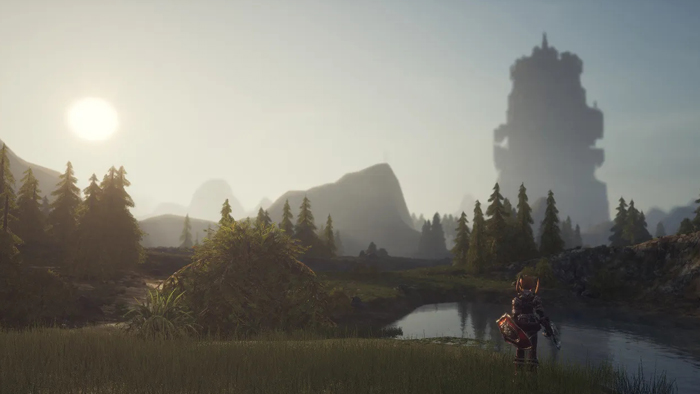
In this article, we’ll explore what kind of PC is needed to run Lineage 2 on Unreal Engine 5 as part of Project Lu4, why this classic MMORPG requires a different approach to component selection after switching to the new engine, and what kind of PC for Lineage 2 Lu4 will truly ensure a smooth experience in PvP, during large-scale sieges, and in multi-window mode.
We’ll also explain how the CPU, GPU, RAM, and SSD affect high FPS in crowded areas, and provide practical recommendations for those looking to build a PC for Lineage 2 Lu4 on various budgets.

Lineage 2 on Unreal Engine 5 (Lu4) – A Technical Breakthrough for a Legend
Lineage 2 on Unreal Engine 5 isn’t just a graphical update—it’s a fundamental change to the game’s technical foundation that affects everything from level loading to FPS stability in large player gatherings. For fans of the series, this means a new level of detail, modern graphics technologies like Nanite and Lumen, and a different approach to performance—where not only the graphics card but also the CPU, RAM, and a fast NVMe SSD are crucial. That’s exactly why the search term “Lineage 2 UE5 system requirements” is of interest today not only to enthusiasts but also to anyone who wants to prepare their PC for the upcoming release without freezes or frame drops.
Project Lu4 is particularly interesting because it combines the familiar atmosphere of Lineage 2 with a modern technological foundation, meaning that the hardware requirements are closer to those of modern MMORPGs than to the older clients of the classic L2. For players, this means that the old adage “any PC will do” no longer applies: now it’s crucial that the system can consistently handle the load during large-scale sieges, in PvP, and when multiple windows are open simultaneously. And this is precisely where a properly configured PC for Lineage 2 on Unreal Engine 5 begins to determine not only your comfort but also your actual performance in the game.

System Requirements: Minimum and Recommended for UE5
The official system requirements for Lu4, designed for gameplay on UE5, have already been announced, but in practice, for a stable Lineage 2 experience, it’s best to look beyond the “minimum requirements.” The minimum configuration is only suitable for basic gameplay, whereas for a comfortable MMORPG experience with a large number of effects, characters, and textures, it’s better to aim for a balanced mid-range or above-average setup. Therefore, the system requirements for L2 Lu4 should be viewed as a starting point rather than a definitive recommendation.
From a practical standpoint, a system with 6 cores and 12 threads, a mid-range graphics card supporting modern graphics APIs, 32 GB of RAM, and an SSD will suffice for basic gameplay. For a comfortable gaming experience, it’s better to consider an Intel i5-14400F or Ryzen 5 7600, an RTX 5060 or RTX 5060 Ti-class graphics card, 32 GB of RAM, and an NVMe SSD. And for maximum performance headroom in large-scale battles, PvP, and stable FPS in crowded areas, the Ryzen 7 9800X3D paired with an RTX 5070, 32 GB of RAM, and a fast NVMe SSD is your best bet.
For UE5, it’s important that the system performs well not only “on average” but also during peak scenes—which is why DirectX 12, sufficient RAM, and a fast storage drive have a greater impact than in older MMORPGs. If your goal is not just to run the game, but to ensure a stable FPS during sieges and in crowds, you should aim for a configuration that exceeds the minimum requirements.
What kind of PC do you need for large-scale sieges and PvP in L2 Lu4?
For massive sieges and large-scale PvP battles, the PC’s key task is to prevent the FPS from “plummeting” when dozens or hundreds of characters, effects, and animations are on the screen at the same time. In such scenarios, it’s not just the graphics card that plays a decisive role, but also the overall balance of the system: a powerful processor, 32 GB of RAM, an NVMe SSD, and a modern mid-range or high-end graphics card. Therefore, the answer to the question of what kind of PC is needed for L2 UE5 is simple: one that doesn’t create bottlenecks during the most demanding gameplay scenes.
Processor (single-threaded and multi-core performance)
Historically, Lineage 2 has been very sensitive to CPU performance, especially single-core speed, but in UE5 the situation becomes more complex as the role of multi-core processing increases in parallel. That’s exactly why the Intel i5-14400F and Ryzen 5 7600X remain strong entry-level options, while the Ryzen 7 9800X3D is the go-to choice for those who want maximum comfort and high FPS in crowded areas. If your priority is PvP and sieges, it’s best not to skimp on the CPU, since the processor is often what determines how smoothly the game will run during the most demanding moments.
Graphics Card and Memory for Mass Sieges and PvP in L2 Lu4
Graphics Card (Unreal Engine 5, Lumen, Nanite)
UE5 places a significantly heavier load on the graphics card than older versions of the engine, especially when Nanite and Lumen are enabled, as well as modern rendering via DirectX 12. The RTX 5060 is a good choice for a smooth start; the RTX 5070 offers a more balanced solution; and the RTX 5080 provides headroom for future updates, high settings, and stability in large scenes. If you’re looking for Lineage 2 LU4 on PC with the goal of long-term playability, it’s best to get a graphics card with some headroom right from the start so you don’t hit a GPU bottleneck after the very first graphics update.
RAM (multi-window mode and large-scale battles)
For the modern Lineage 2 on UE5, 32 GB of RAM is already the bare minimum for a comfortable experience, and for players using multiplayer and multi-window modes, 32+ GB of RAM is becoming the de facto standard. In large-scale battles, when multiple clients, a browser, the launcher, and additional communication programs are open, RAM directly affects the system’s smooth performance. Therefore, for those who want to do more than just play—but also reliably manage clan activities—32 GB is no longer a luxury, but a practical necessity.
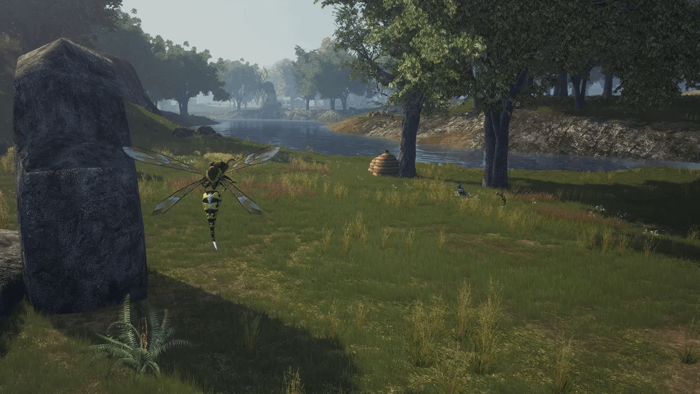
Optimizing and Configuring Your PC for Consistent FPS
Even a powerful PC can be configured in a way that causes it to run unstable, so it’s important to properly prepare your system for Lineage 2 UE5. First and foremost, you should use up-to-date graphics card drivers, enable DirectX 12, select an appropriate power plan in Windows, and ensure proper cooling so that the CPU doesn’t throttle under load. For MMORPGs of this type, it’s often the small system tweaks that provide a noticeable boost in responsiveness and FPS stability.
It also makes sense to close background programs during active PvP sessions, especially if you’re playing in multi-window mode or simultaneously streaming, recording, or keeping messaging apps open. In the case of Lu4, it’s helpful to focus not only on “average FPS” but also on minimizing frame drops in crowds, since these have the greatest impact on the gameplay experience. If your goal is high FPS in crowds, your priority should be a powerful CPU, 32 GB of RAM, and a well-balanced graphics card—not just maxed-out graphics settings.
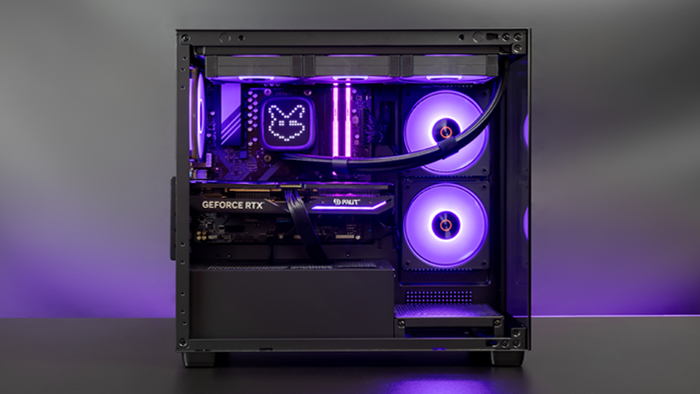
Pre-built builds for Lineage 2 Lu4
We offer several pre-built configurations for different budgets and gaming scenarios:
An affordable configuration with an Intel i5-14400F or Ryzen 5 7600, an RTX 5060, and 32 GB of RAM: this is a great starting point for those who just want to enjoy the game comfortably without overspending.
A balanced build with a Ryzen 7 7700X or i7-14700KF, an RTX 5070, 32 GB of RAM, and an NVMe SSD—which is better suited for Lineage 2 UE5’s system requirements during actual gameplay, not just launching the client.
For enthusiasts and those who want maximum headroom for future patches, a configuration based on a Ryzen 7 9800X3D, RTX 5080, 32 GB of RAM, and a fast NVMe SSD is best suited.
These are the builds best suited for a Lineage 2 Unreal Engine 5 PC if your priorities are stability during large-scale battles, multi-client support, and long-term relevance. In short, it’s better to build a PC for Lineage 2 LU4 with some headroom rather than pushing it to the limit, since an MMORPG with large-scale battles always requires extra performance.
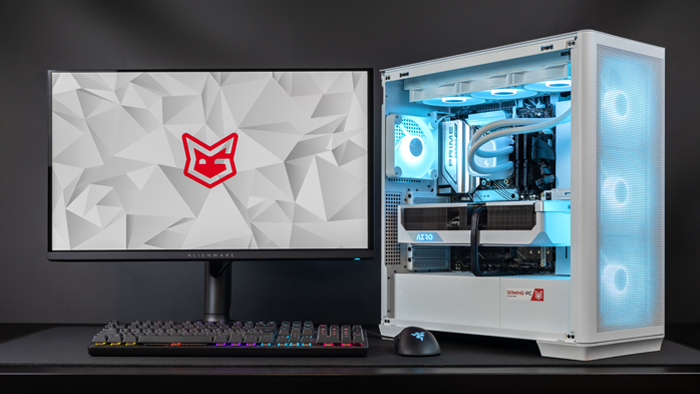
Conclusion: The best setup for a comfortable gaming experience
For Lineage 2 on UE5 in the Lu4 project, the best approach is not the bare minimum, but a balanced configuration that can handle UE5 graphics, the load from large-scale battles, and multi-window mode all at once.
If you’re looking for the optimal balance between price and performance, the most sensible setup is an Intel i5-14400F or Ryzen 5 7600X, an RTX 5060 Ti, 32 GB of RAM, and an NVMe SSD.
If, on the other hand, you want a solid head start for the future and the most comfortable PvP experience possible, then you should consider the Ryzen 7 9800X3D and an RTX 5080. This configuration best meets requirements such as “Lineage 2 UE5 system requirements,” “L2 LU4 system requirements,” and “PC build for Lineage 2 LU4”—where it’s not just about running the game, but about playing smoothly without lag during the most intense moments.
 Free
Free shipping

Processor: Intel Core Ultra 9 285K
Video card: GeForce RTX 5080, 16GB
RAM: 64GB (32GBx2) DDR5 6000
Motherboard: ASRock Z890 PRO-A
SSD M2:SSD M.2 2TB / Kioxia Exceria Plus
Free shipping

Processor: AMD Ryzen 7 7800X3D
Video card: GeForce RTX 5080, 16GB
RAM: 32GB (16GBx2) DDR5 5600
Motherboard: Gigabyte B650M Gaming Plus WiFi
SSD M2:SSD M.2 1TB / M.2 MSI M470 Pro
Free shipping
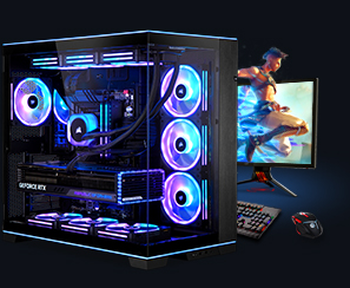
Processor: Intel Core Ultra 9 285K
Video card: GeForce RTX 5080, 16GB
RAM: 64GB (32GBx2) DDR5 6000
Motherboard: Gigabyte Z890 Aorus Elite X ICE
SSD M2:SSD M.2 2TB / Samsung 990 PRO
Free shipping

Processor: Intel Core Ultra 9 285K
Video card: GeForce RTX 5080, 16GB
RAM: 64GB (32GBx2) DDR5 6000 MHz
Motherboard: Gigabyte Z890 Aorus Elite X ICE
SSD M2:SSD M.2 2TB / Samsung 990 PRO
Free shipping
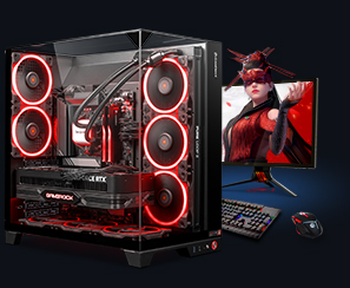
Processor: AMD Ryzen 7 7700
Video card: GeForce RTX 5070 Ti, 16GB
RAM: 32GB (16GBx2) DDR5 5600
Motherboard: Gigabyte B650M Gaming Plus WiFi
SSD M2:SSD M.2 1TB / M.2 MSI M470 Pro
Free shipping

Processor: Intel Core Ultra 9 285K
Video card: GeForce RTX 5070 Ti, 16GB
RAM: 32GB (16GBx2) DDR5 5600
Motherboard: ASRock Z890 PRO-A
SSD M2:SSD M.2 1TB / M.2 MSI M470 Pro
Free shipping
Processor: AMD Ryzen 7 7800X3D
Video card: GeForce RTX 5080, 16GB
RAM: 32GB (16GBx2) DDR5 5600
Motherboard: Gigabyte B650M Gaming Plus WiFi
SSD M2:SSD M.2 1TB / M.2 MSI M470 Pro
Free shipping
Processor: AMD Ryzen 7 9800X3D
Video card: GeForce RTX 5080, 16GB
RAM: 32GB (16GBx2) DDR5 5600
Motherboard: Gigabyte B650M Gaming Plus WiFi
SSD M2:SSD M.2 1TB / M.2 MSI M470 Pro
Free shipping

Processor: AMD Ryzen 7 9800X3D
Video card: GeForce RTX 5080, 16GB
RAM: 32GB (16GBx2) DDR5 5600
Motherboard: Gigabyte B650M Gaming Plus WiFi
SSD M2:SSD M.2 1TB / M.2 MSI M470 Pro
Free shipping
Processor: Intel Core Ultra 7 265KF
Video card: GeForce RTX 5080, 16GB
RAM: 32GB (16GBx2) DDR5 5600
Motherboard: ASRock Z890 PRO-A
SSD M2:SSD M.2 1TB / M.2 MSI M470 Pro
Recommended reading

How to choose a monitor for a gaming PC?
Choosing a monitor for your PC has a crucial impact on your gaming experience. You need to choose a display that provides a clear and bright image...
More details
How to choose a motherboard for a gaming PC?
Building a PC is a big step for any gamer. Selecting a motherboard is one of the most important steps in this process. Due to the large number of...
More details
How to choose a good gaming PC?
Choosing a good gaming PC is a task that requires a comprehensive approach and consideration of several factors, as modern games are becoming...
More details