






PC for beginners
18/07/2024
Beginner's Guide to the Best Gaming PC for Performance, Cooling, and Cost
Choosing a PC for beginners can be a daunting task as there are many aspects to consider such as performance, ease of maintenance, cooling system and cost. In this article, we will look at how to choose a PC for a beginner and provide recommendations on how to choose the best components.
- The main criteria for selection are:
- Performance
- Cooling
- Ease of maintenance
- Cost
- Accessories
How to choose a PC for beginners: tips and main selection criteria
Performance is the main and key parameter when selecting a personal computer. For a gaming PC, it is important to choose the right graphics card and processor that can provide smooth gameplay in modern games and be high-performance in other tasks.
The best graphics card option for such tasks may be the RTX 4060 Ti, which offers high performance for the price/performance ratio. There are also other cheaper but still productive options, such as NVIDIA RTX 4060, 3050, 3060 series graphics cards or similar models from AMD, which are also suitable for beginners.
The processor is the most important component for any PC. For gaming, you need to choose a powerful processor that can handle complex tasks. For the above video cards, the best CPU will be Intel Core i5 or i3, 12th-14th generation, which will be a great choice for a mid-budget PC and will provide good performance in games. A competitive option from AMD is the Ryzen 5, 5000 and 7000 series.
Cooling system is an important component for stable computer performance. For the above processors, air cooling will be the best option. It is a time-tested method that provides easy maintenance, durability and reliable system performance. It is also less costly compared to a liquid cooling system and undemanding to the user.
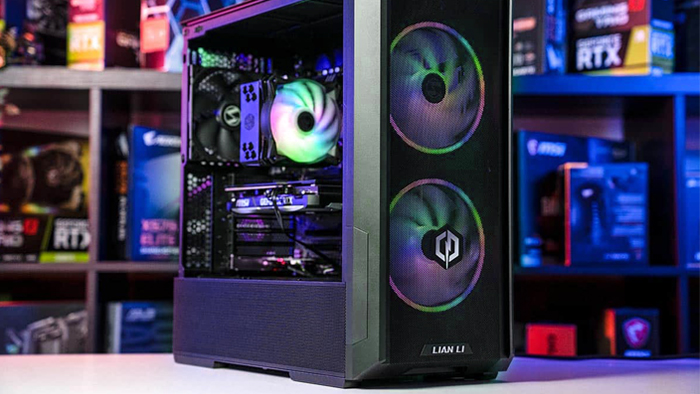
Beginners should have a PC that is easy to maintain. This includes easy access to internal components for upgrading and cleaning. Also, a case that is well ventilated and has extra fans will make it easier to maintain an optimal temperature inside the case.
Cost is another significant factor. You don't have to spend a lot of money on your first gaming PC. You need to find a balance between component quality, performance and price. Budget and mid-budget models are perfect for beginners, providing an impressive gaming experience without spending too much.
Computer for beginners: choosing other components
Other PC components vary depending on the budget and needs of the customer. RAM is needed for fast performance and smooth gameplay. We recommend 16GB of RAM DD4 or DDR5, which is sufficient for modern gaming. If there is a need for other tasks, such as working with graphics or video editing, it is better to take 32 GB.
Drives affect the download speed and save data. The minimum volume will be from 512 GB.
Based on the pre-selected components, you need to choose a power supply. Basically, it depends on the video card and processor. Most mid-budget systems need 650-750 watts and 80+ Bronze certification.
A case that provides enough space for all components and good ventilation should have room for additional fans. The Mid-Tower size will suffice for most configurations.
Choosing a PC for a beginner is an important step into the world of gaming. By choosing models with the right balance of ease of maintenance, performance, and cost, you'll be able to perform work tasks and enjoy gaming without hassle.
Gaming PC gaming computers
Novice gaming computers from Gaming Pc will give you the ability to play modern games at high graphics settings, have a quality build and high performance in other tasks.
 Free
Free shipping
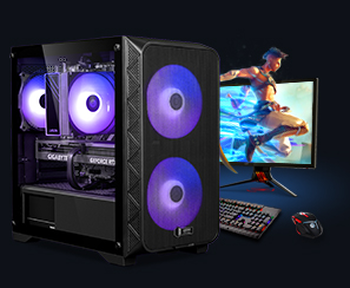
Processor: Intel Core i3-13100F
Video card: GeForce RTX 3050, 6GB
RAM: 32GB (16GBx2) DDR4 3200 MHz
Motherboard: Gigabyte H610M H V2 DDR4
SSD M2:SSD M.2 1TB / M.2 MSI M470 Pro
Free shipping

Processor: Intel Core i3-13100F
Video card: GeForce RTX 3050, 6GB
RAM: 32GB (16GBx2) DDR4 3200 MHz
Motherboard: Gigabyte H610M H V2 DDR4
SSD M2:SSD M.2 1TB / M.2 MSI M470 Pro
Free shipping

Processor: Intel Core i3-14100F
Video card: GeForce RTX 3050, 6GB
RAM: 32GB (16GBx2) DDR4 3200 MHz
Motherboard: Gigabyte H610M H V2 DDR4
SSD M2:SSD M.2 1TB / M.2 MSI M470 Pro
Free shipping

Processor: Intel Core i3-14100F
Video card: GeForce RTX 3050, 6GB
RAM: 16GB (8GBx2) DDR4 3200 MHz
Motherboard: Gigabyte H610M H V2 DDR4
SSD M2:SSD M.2 500GB / Gigabyte Gen4 4000E
Free shipping
Processor: Intel Core i5-12400F
Video card: GeForce RTX 3050, 6GB
RAM: 32GB (16GBx2) DDR4 3200 MHz
Motherboard: Gigabyte B760M DS3H DDR4
SSD M2:SSD M.2 1TB / M.2 MSI M470 Pro
Free shipping

Processor: Intel Core i5-12400F
Video card: GeForce RTX 3050, 6GB
RAM: 16GB (8GBx2) DDR4 3200 MHz
Motherboard: Gigabyte B760M DS3H DDR4
SSD M2:SSD M.2 500GB / Gigabyte Gen4 4000E
Free shipping

Processor: Intel Core i3-13100F
Video card: GeForce RTX 3050, 6GB
RAM: 16GB (8GBx2) DDR4 3200 MHz
Motherboard: Gigabyte H610M H V2 DDR4
SSD M2:SSD M.2 500GB / Gigabyte Gen4 4000E
Free shipping
Processor: Intel Core i3-13100F
Video card: GeForce RTX 3050, 6GB
RAM: 16GB (8GBx2) DDR4 3200 MHz
Motherboard: Gigabyte H610M H V2 DDR4
SSD M2:SSD M.2 1TB / M.2 MSI M470 Pro
Free shipping
Processor: Intel Core i5-13400F
Video card: GeForce RTX 3050, 6GB
RAM: 16GB (8GBx2) DDR4 3200 MHz
Motherboard: Gigabyte B760M DS3H DDR4
SSD M2:SSD M.2 500GB / Gigabyte Gen4 4000E
Free shipping
Processor: Intel Core i5-13400F
Video card: GeForce RTX 3050, 6GB
RAM: 16GB (8GBx2) DDR4 3200 MHz
Motherboard: Gigabyte B760M DS3H DDR4
SSD M2:SSD M.2 500GB / Gigabyte Gen4 4000E
Recommended reading

PCs for Stellar Blade
Stellar Blade is a colorful exclusive that managed to combine a stylish sci-fi world, spectacular battles and a deep storyline. The player takes on...
More details
RTX 5060 Ti - your ticket to the world of modern gaming
As the 2025 graphics card market continues to change in a big way, NVIDIA is once again setting the trend. After the success of the RTX 4060 Ti and...
More details
How to choose a processor for a gaming PC?
Video games are attracting a growing audience every year and have moved from simple entertainment or spending free time behind the monitor to a way...
More details