






Desktop computers
06/12/2023

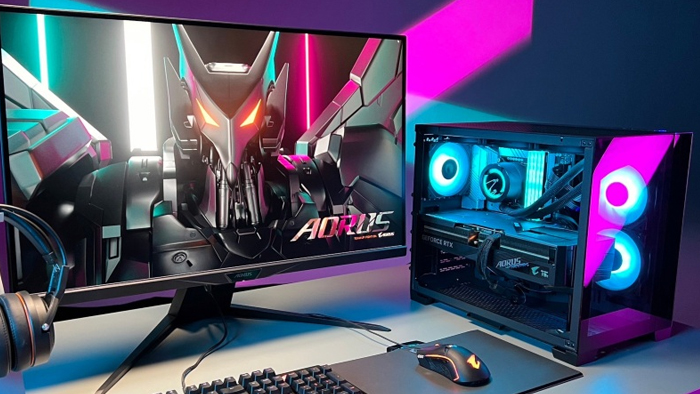
Desktop computer - how to choose and how much they cost in Ukraine
When it comes to buying a desktop PC, there are several factors to consider to make sure you get the option that meets your desires and capabilities. We will discuss some key points when making your choice and provide an overview of current prices in Ukraine

Desktop computers - basic parameters
In order to buy an efficient and fast PC, you should pay attention to a number of indicators:
When choosing a processor, consider your budget and what tasks you will use the computer for. If you plan to use the device for web browsing, word processing and basic multimedia programs, a mid-range processor will suffice. Using a desktop PC for tasks such as video editing, gaming, or other CPU-intensive tasks, a high-end processor is recommended.
The more memory it has, the more applications it can run simultaneously without slowing down. For most regular users, 8GB of RAM is sufficient, but if you plan to use your computer for more demanding tasks, it is recommended to install 16GB or more.
There are two main types of storage devices: HDD and SSD. HDDs are cheaper and offer more storage space, but they are slower than SSDs. SSDs are faster and more reliable than HDDs, but they are also more expensive. When choosing a storage system, consider your budget and the complexity of the tasks you need to perform. A combination of hard disk and SSD is also an option.
If you plan to use your desktop computer for gaming or other graphics-intensive tasks, it is recommended to install a dedicated graphics card. Otherwise, the integrated graphics that come with the processor will suffice.
With these considerations in mind, you should be able to find a PC that meets your needs and fits your budget.
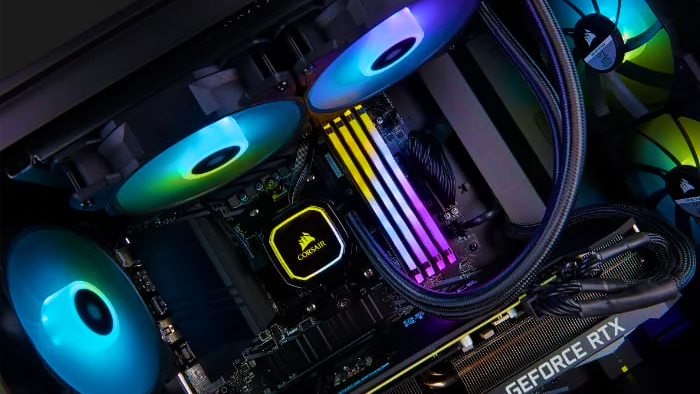
Advantages and disadvantages of a desktop PC compared to laptops and tablets
PCs, laptops and tablets are different types of computers that have their own advantages and disadvantages depending on what tasks they are used for. The advantages of a desktop PC include:
A PC can have a more powerful processor, graphics card, and more RAM, which allows for faster processing of large amounts of data and heavy applications.
Provides flexibility to upgrade components such as processor, graphics card, RAM and hard disk drive, allowing users to upgrade their computer's performance as needed.
Allows you to choose monitors of any size and resolution, allowing for a wider range of work and entertainment options.
Disadvantages:
Not designed for mobile use and is difficult to move from place to place.
Takes up a lot of space and consumes more power compared to laptops and tablets.
Requires installation at the workplace and network connection, which can take extra time.
Our company offers professional assistance and quality PC assembly equipment. When choosing a computer for work or home, it is very important not only to choose the right model, but also a reliable seller. Gaming PC offers not only a wide selection of PCs, but also a number of competitive advantages that make our company an attractive choice for buyers. Write to our specialists today and we will be happy to find you a quality PC. Our company will try to send your purchase as quickly as possible, after clarifying all the details of the order
 Free
Free shipping

Processor: Intel Core Ultra 9 285K
Video card: GeForce RTX 5070 Ti, 16GB
RAM: 32GB (16GBx2) DDR5 5600
Motherboard: ASRock Z890 PRO-A
SSD M2:SSD M.2 1TB / M.2 MSI Spatium M470 Pro
Free shipping
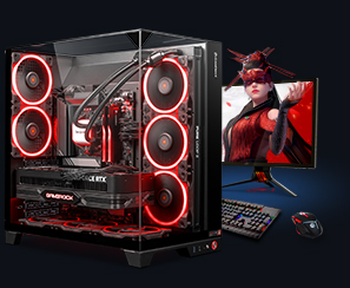
Processor: AMD Ryzen 7 7700
Video card: GeForce RTX 5070 Ti, 16GB
RAM: 32GB (16GBx2) DDR5 5600
Motherboard: Gigabyte B650M Gaming Plus WiFi
SSD M2:SSD M.2 1TB / M.2 MSI Spatium M470 Pro
Free shipping

Processor: AMD Ryzen 7 7800X3D
Video card: GeForce RTX 5080, 16GB
RAM: 32GB (16GBx2) DDR5 5600
Motherboard: Gigabyte B650M Gaming Plus WiFi
SSD M2:SSD M.2 1TB / M.2 MSI Spatium M470 Pro
Free shipping

Processor: Intel Core i5 13600KF
Video card: GeForce RTX 5080, 16GB
RAM: 32GB (16GBx2) DDR5 5600
Motherboard: Asus TUF Gaming B760M-Plus II
SSD M2:SSD M.2 1TB / M.2 MSI Spatium M470 Pro
Free shipping
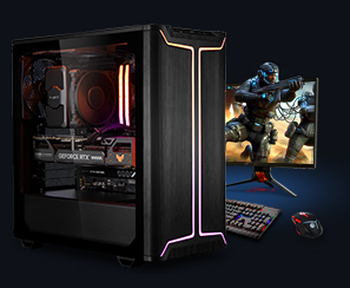
Processor: Intel Core i5 14600KF
Video card: GeForce RTX 5080, 16GB
RAM: 32GB (16GBx2) DDR5 5600
Motherboard: Asus TUF Gaming B760M-Plus II
SSD M2:SSD M.2 1TB / M.2 MSI Spatium M470 Pro
Free shipping

Processor: Intel Core i7-14700KF
Video card: GeForce RTX 5080, 16GB
RAM: 32GB (16GBx2) DDR5 5600
Motherboard: Gigabyte Z790 Eagle AX
SSD M2:SSD M.2 1TB / M.2 MSI Spatium M470 Pro
Free shipping

Processor: Intel Core i7-13700KF
Video card: GeForce RTX 5080, 16GB
RAM: 32GB (16GBx2) DDR5 5600
Motherboard: Gigabyte Z790 Eagle AX
SSD M2:SSD M.2 1TB / M.2 MSI Spatium M470 Pro
Free shipping

Processor: Intel Core i9-13900KF
Video card: GeForce RTX 5080, 16GB
RAM: 32GB (16GBx2) DDR5 5600
Motherboard: MSI Z790 Gaming Plus WiFi
SSD M2:SSD M.2 1TB / M.2 MSI Spatium M470 Pro
Free shipping
Processor: Intel Core i9-14900KF
Video card: GeForce RTX 5080, 16GB
RAM: 32GB (16GBx2) DDR5 5600
Motherboard: MSI Z790 Gaming Plus WiFi
SSD M2:SSD M.2 1TB / M.2 MSI Spatium M470 Pro
Free shipping

Processor: Intel Core Ultra 7 265KF
Video card: GeForce RTX 5080, 16GB
RAM: 32GB (16GBx2) DDR5 5600
Motherboard: ASRock Z890 PRO-A
SSD M2:SSD M.2 1TB / M.2 MSI Spatium M470 Pro
Recommended reading
PC for Dying Light: The Beast
In this article we'll discuss what kind of PC you need for Dying Light: The Beast, what system requirements to expect, what is the release date...
More details
PC for Cronos: The New Dawn
In the year 2025, Bloober Team - known for Silent Hill 2 Remake and The Medium - present Cronos: The New Dawn. This is not just another survival...
More details
How many cores should a gaming computer have?
When choosing a new PC, the question often arises: "how many cores should a gaming computer have?". This question can cause some debate...
More details