






PC for CONTROL Resonant
09/06/2026


In this article, we’ll look at what kind of PC you’ll need for Control Resonant in 2026, the differences between the minimum and recommended configurations, how to choose a build for a stable frame rate, and what to look for before buying a pre-built computer from GamingPC.
This will help you quickly understand what level of graphics card, processor, RAM, and SSD is needed specifically for this game, as well as for other demanding games or work tasks.

Control Resonant Overview and Technical Features
Control Resonant is a new game from Remedy that focuses on fast-paced close-quarters combat, supernatural abilities, vast open-world environments, and highly demanding visual effects, including full path tracing and DLSS 4.5. That is why the game requires a proper balance between the GPU, CPU, memory capacity, and a fast SSD to ensure the system runs smoothly in dynamic scenes.
Control Resonant is a modern AAA title with high demands on the graphics subsystem. The game utilizes complex visual effects, dynamic lighting, and technologies that place a heavy load on the graphics card and processor.
With this in mind, basic performance levels are insufficient for a comfortable gaming experience. An optimal system must ensure stable performance without FPS drops in scenes featuring a large number of effects and intense combat dynamics.

Minimum and recommended system requirements
The minimum requirements for Control Resonant include an Intel i5-14600K-class processor or an equivalent AMD processor, 16+ GB of RAM, an RTX 5060 or RTX 5060 Ti, and 100 GB of free space on an SSD. This should be enough to run the game smoothly even in complex scenes.
The recommended configuration includes a Ryzen 7 9700X or Intel equivalent, 32 GB of RAM, an RTX 5070 / Radeon RX 9070 XT, and a 100 GB SSD. This is the level required for a more comfortable experience with higher graphics quality and better stability in complex scenes.
When choosing, keep in mind that the minimum specs are designed to run the game, while the recommended specs are for a significantly smoother and more stable gameplay experience. For 2026, it’s safer to aim for the recommended configuration or higher, especially if you plan to leave room for updates, streaming, or gameplay recording.

What PC should I choose for Control Resonant?
For Control Resonant, it is advisable to choose a PC with a graphics card that falls within the modern mid-range or higher-end segment. The GPU is what determines image quality and FPS stability in most scenes.
Users planning to play on high settings or who have a monitor with a high refresh rate should consider even more powerful solutions. Therefore, you should aim for the following build tiers:
Budget tier: Ryzen 5 / Core i5 + RTX 5060 Ti / RX 9060 XT, if you need performance above the minimum requirements.
Optimal tier: Ryzen 7 9700X / Core i7-14700K + RTX 5070 / RX 9070 XT.
Premium tier: Ryzen 7 9800X3D / Core Ultra 7 265K + RTX 5080 / RTX 5090.

Optimizing the system for stable FPS
For stable FPS in Control: Resonant, you should use an SSD, as the game requires fast data access. It is also recommended to use RAM in dual-channel mode and up-to-date graphics card drivers.
The game supports modern technologies such as DLSS, which are worth using to boost performance without significantly compromising image quality. For mid-range and high-end graphics cards, this often provides the best balance between sharpness and smoothness, especially in visually stunning scenes with a high level of detail and lighting.
Additionally, you should monitor the CPU and graphics card temperatures, as overheating can lead to reduced performance. If supported, you should use image upscaling technologies to increase FPS without a significant loss of quality.
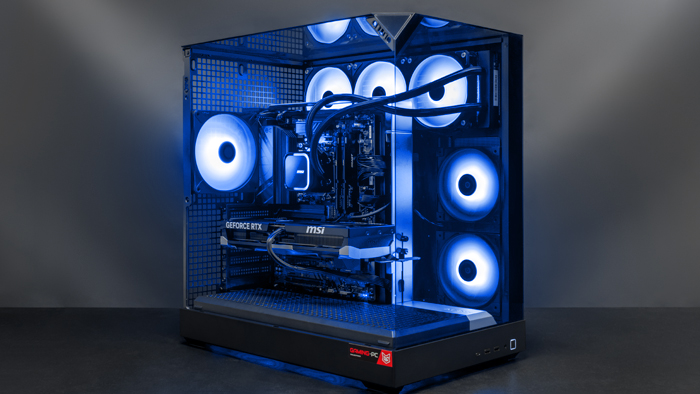
Ready-to-use CONTROL Resonant kits
For practical purposes, there are three tiers of pre-built systems:
Entry-level build: Core i5 14400F / Ryzen 5 7500F, 16 GB RAM, RTX 5060 Ti or RX 9060 XT, 1 TB NVMe SSD.
Optimal build: Core i7-14700KF / Ryzen 7 9700X, 32 GB RAM, RTX 5070 or RX 9070 XT, 1 TB NVMe SSD.
Maximum build: Ryzen 7 9800X3D or Core Ultra 7 265K, 32 GB RAM, RTX 5080 / RTX 5090, 1–2 TB NVMe SSD.
These configurations offer different levels of performance and allow you to choose a PC based on your budget and intended use case.
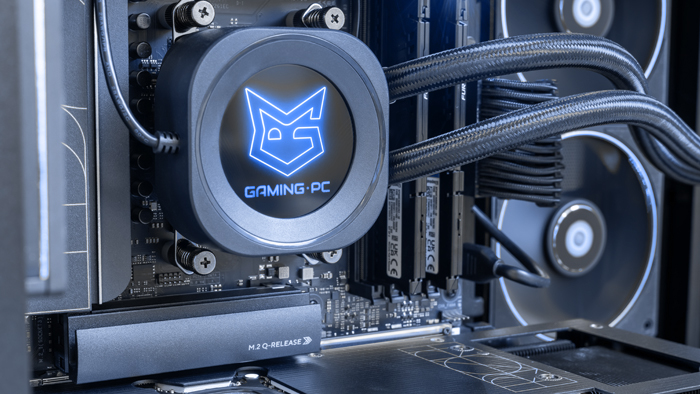
The Benefits of Our PCs for Control Resonant
Control Resonant's pre-built GamingPCs offer a balanced configuration without the need to select components yourself. This reduces the risk of incompatibility and allows you to get a system that's ready to use right out of the box.
Key benefits of these solutions:
compliance with current gaming requirements;
balanced performance-to-cost ratio;
fast boot times thanks to high-performance SSDs;
headroom for future upgrades.
For gamers, this means a simple and predictable choice without unnecessary technical complications.

Conclusion: Ideal Configurations for Control Resonant
Control Resonant falls into the category of games that require not only a modern PC but also the right balance between the graphics card, CPU, RAM, and storage. The minimum requirements allow you to run the game, but for stable FPS and a comfortable gaming experience, it is advisable to aim for the recommended level or higher.
The most practical option for most users will be a configuration featuring an RTX 5070 Ti / RX 9070 XT paired with a modern AMD Ryzen or Intel Core processor and 32 GB of RAM, with room to upgrade components in the future. Such a system provides sufficient performance headroom and is suitable not only for Control Resonant but also for other demanding games.
At the GamingPC store, you can choose from both entry-level solutions and balanced PCs that immediately meet modern requirements for all games and work tasks.
 Free
Free shipping
Processor: AMD Ryzen 7 7700
Video card: GeForce RTX 5070 Ti, 16GB
RAM: 32GB (16GBx2) DDR5 5600
Motherboard: Gigabyte B650M Gaming Plus WiFi
SSD M2:SSD M.2 1TB / Kingston NV3
Free shipping

Processor: Intel Core Ultra 9 285K
Video card: GeForce RTX 5070 Ti, 16GB
RAM: 32GB (16GBx2) DDR5 5600
Motherboard: ASRock Z890 PRO-A
SSD M2:SSD M.2 1TB / Kingston NV3
Free shipping

Processor: AMD Ryzen 7 9800X3D
Video card: GeForce RTX 5070 Ti, 16GB
RAM: 32GB (16GBx2) DDR5 5600
Motherboard: Gigabyte B650M Gaming Plus WiFi
SSD M2:SSD M.2 1TB / Kingston NV3
Free shipping

Processor: AMD Ryzen 7 9800X3D
Video card: GeForce RTX 5070 Ti, 16GB
RAM: 32GB (16GBx2) DDR5 5600
Motherboard: Gigabyte B650M Gaming Plus WiFi
SSD M2:SSD M.2 1TB / Kingston NV3
Free shipping

Processor: Intel Core i5-12400F
Video card: GeForce RTX 5070 Ti, 16GB
RAM: 32GB (16GBx2) DDR4 3200 MHz
Motherboard: Gigabyte B760M DS3H DDR4
SSD M2:SSD M.2 1TB / Kingston NV3
Free shipping
Processor: Intel Core i5 13600KF
Video card: GeForce RTX 5070 Ti, 16GB
RAM: 32GB (16GBx2) DDR4 3200 MHz
Motherboard: Asus Prime B760M-A WIFI D4
SSD M2:SSD M.2 1TB / Kingston NV3
Free shipping

Processor: Intel Core Ultra 5 245KF
Video card: GeForce RTX 5070 Ti, 16GB
RAM: 32GB (16GBx2) DDR5 5600
Motherboard: Gigabyte B860M D3HP
SSD M2:SSD M.2 1TB / Kingston NV3
Free shipping
Processor: Intel Core i5 14600KF
Video card: GeForce RTX 5070 Ti, 16GB
RAM: 32GB (16GBx2) DDR4 3200 MHz
Motherboard: Asus Prime B760M-A WIFI D4
SSD M2:SSD M.2 1TB / Kingston NV3
Free shipping

Processor: Intel Core Ultra 5 245KF
Video card: GeForce RTX 5070 Ti, 16GB
RAM: 32GB (16GBx2) DDR5 5600
Motherboard: Gigabyte B860M D3HP
SSD M2:SSD M.2 1TB / Kingston NV3
Free shipping
Processor: Intel Core i7-13700KF
Video card: GeForce RTX 5070 Ti, 16GB
RAM: 32GB (16GBx2) DDR4 3200 MHz
Motherboard: Asus TUF Gaming B760M-E D4
SSD M2:SSD M.2 1TB / Kingston NV3
Recommended reading

How to build a white gaming computer
White gaming computers are becoming increasingly popular, mainly because of their unique and aesthetic look. They add elegance and freshness to any...
More details
Steam Machine vs. PC
A Steam Machine is a compact mini-computer designed for playing Steam games. It runs on SteamOS—Valve’s proprietary Linux-based operating...
More details
PC for beginners
Choosing a PC for beginners can be a daunting task as there are many aspects to consider such as performance, ease of maintenance, cooling system and...
More details